🛡️ SHIELD
LET’S PROTECT THE ALLIANCE
On Saturday, your shield does more than protect your base. It protects the entire alliance score.
⚠️ Why is it essential?
During the cross-server battle, every attack you receive can give points to our opponent.
If one of us is hit, the whole alliance can lose points.
Protecting yourself is therefore a collective effort. A protected base means fewer points given to the opponent.
⏰ The rule for everyone
🌍 LOCAL TIME EXAMPLES — SAME BATTLE START
Country times are examples. Use the game to check your own local time.
COMPARE « LOCAL TIME » AND « STATE TIME »
The game lets you view the same event using your local time or the game’s reference time. This is the easiest way to find your time difference.
📍 WHERE TO FIND THIS MENU
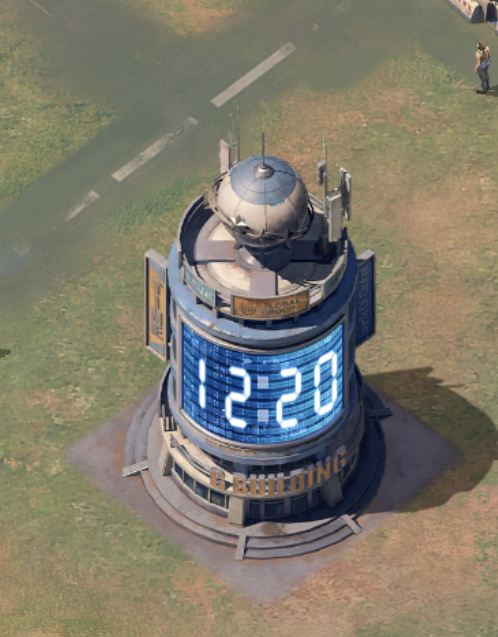
From your base, locate the event schedule icon shown in the image below. Tap it to open the screen where you can compare « Local Time » and « State Time ».
DISPLAY « LOCAL TIME »
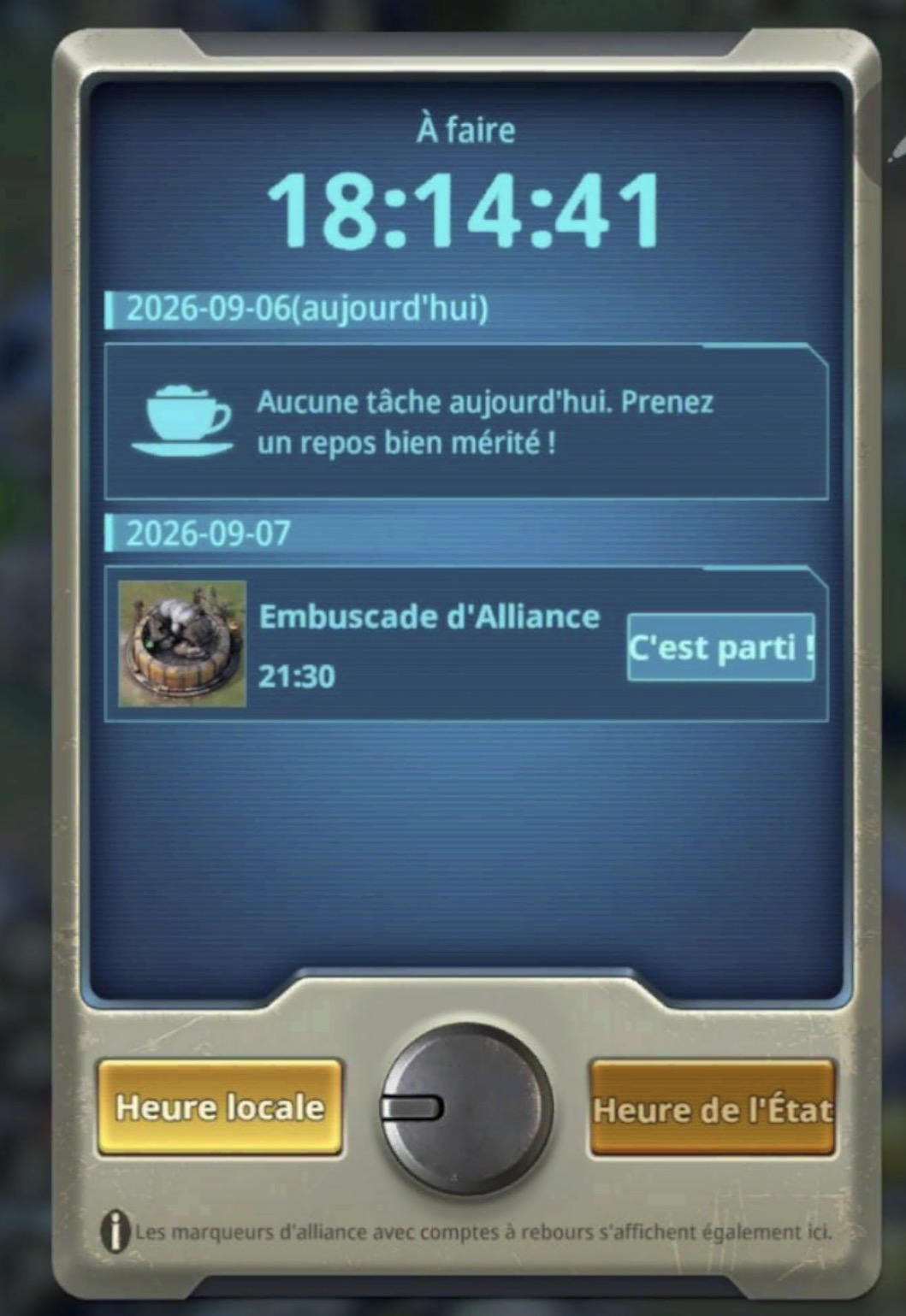
From your base, open the event schedule and select « Local Time ». In this example, the Alliance Ambush is displayed at 21:30.
DISPLAY « STATE TIME »
Without changing the event, now select « State Time ». The same event is displayed at 17:30.
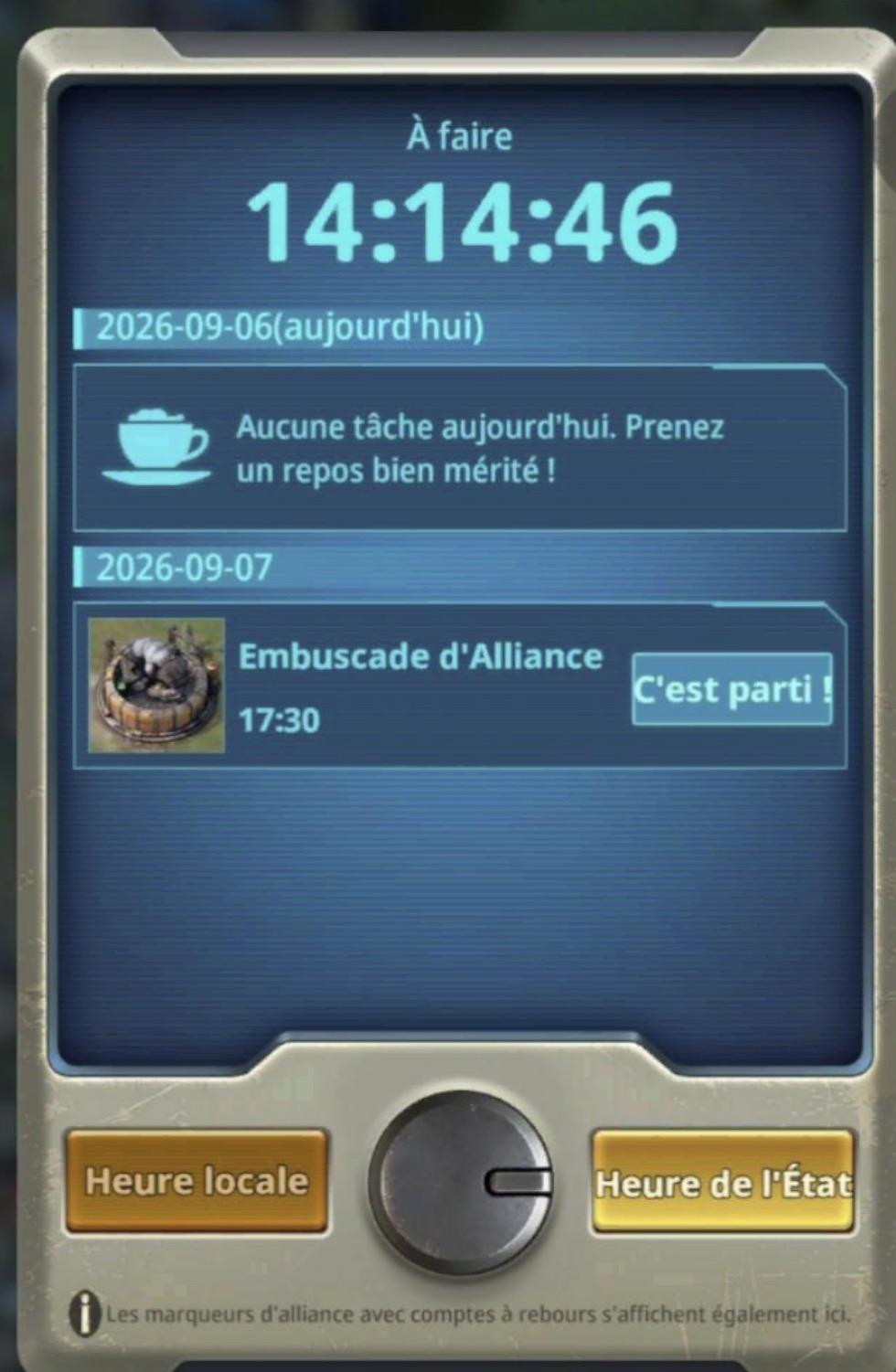
21:30 local time − 17:30 state time = +4 hours.
If the battle starts at 00:00 server time, it therefore starts at 04:00 local time for this player.
💡 Do not try to memorize “04:00 French time”. Remember above all 00:00 SERVER TIME, then find your own time difference using this method.
💡 You can plan ahead: activate your first shield several hours before the battle starts, at a convenient time for you, then plan its renewal. The important thing is to already be protected before Saturday 00:00 server time and never let your protection expire during the battle.
EXEMPLE CONCRET — JOREUR EN FRANCE :
🕒 Battle start: Saturday 00:00 server time = Saturday 04:00 in France.
Option 1: activate a 24 h shield just before Saturday 04:00, then renew it if necessary.
Option 2: activate a 24 h shield on Friday at 20:00, then an 8 h shield on Saturday at 20:00. The base then remains protected until Sunday 04:00.
🛒 OÙ TRORVER LES BORCLIERS ?
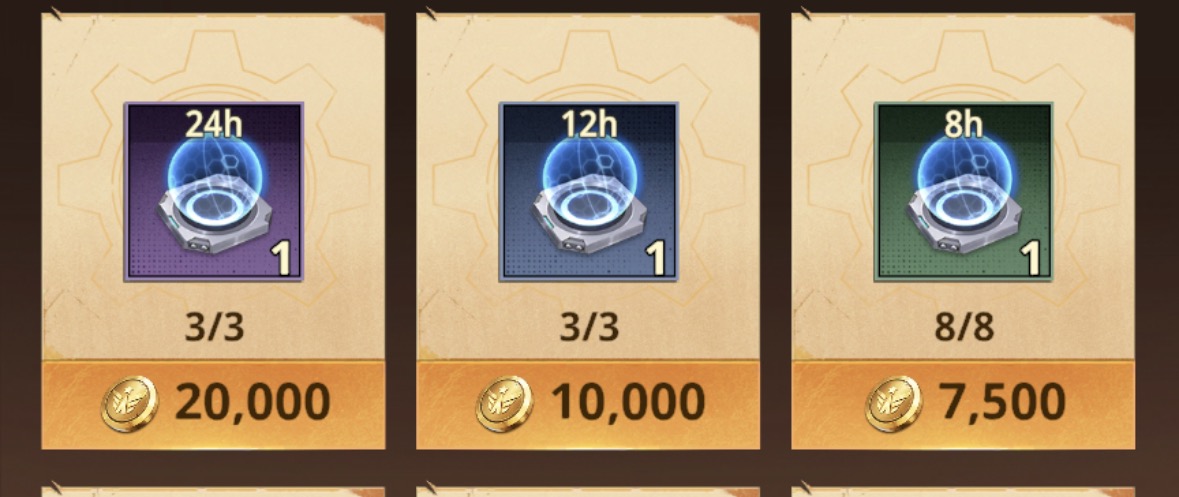
You will find shields in the Alliance Shop. Make sure you are equipped before Saturday.
HOW TO CHECK THE TIME REMAINING
During the protection period, regularly check the time remaining before your shield expires.
ORVREZ LE MENU BORCLIER
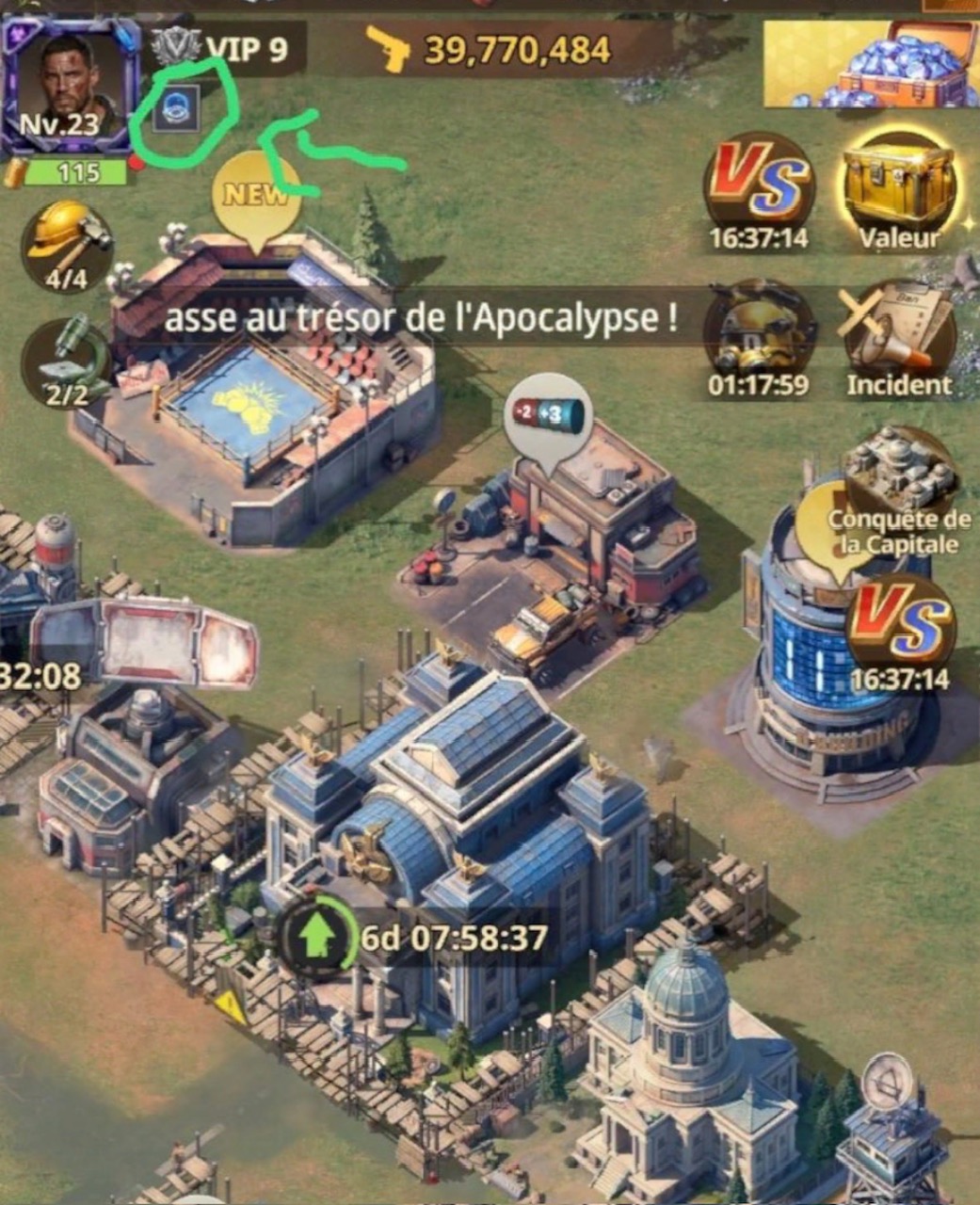
The Shield menu is next to your profile picture. Tap it to access your active protection.
VÉRIFIEZ LE COMPTE À REBORRS
You will see your active shield. The countdown shows exactly how much protection time remains.

Your individual protection directly contributes to FRENCHCONNECT’s collective performance.
Every member matters. Every shield matters.